
Ad Publisher Analysis has two levels of filters: global filters that apply to the entire page including the App Overview stats, and creative-level filters that narrow the Published Creatives section specifically.
This article explains each filter and how to use them together.
Global filters
The global filters sit at the top of the page.
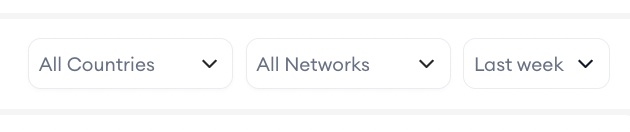
- The country selector narrows results to ads detected in a specific storefront.
- The network selector restricts data to a specific ad network, so you can focus on placements routed through a particular network.
- The date range controls the detection window with the same preset and custom options as the other Ad Intelligence tools: Last week, Last month, Select week, Select weeks, Select month, and Select months.
Changing any global filter updates both the App Overview stats and the Published Creatives grid, so the Advertiser Count and Publishers Ranking figures reflect the filtered period and market.
Creative-level filters
The creative-level filters apply only to the Published Creatives section.
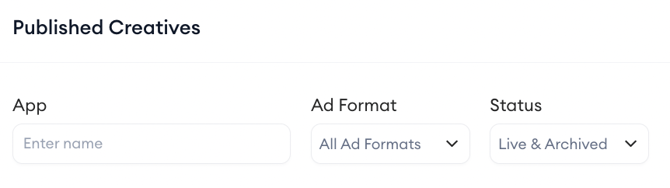
- The App filter is a text search that lets you narrow the grid to creatives from a specific advertiser by typing the app name.
- The Ad Format filter narrows results to specific formats: Video, Image, Interstitial, Banner, Interactive, or Rewarded.
- The Status filter switches between Live creatives, Archived creatives, or both.
Note that the Published Creatives section in Ad Publisher Analysis does not include the Sort By or State filters present in Creative Analysis and Advertiser Analysis.
Combining filters for common research tasks
To find which advertisers are currently active on a publisher, set Status to Live in the creative-level filters. The grid updates to show only creatives currently being served on that publisher.
To focus on a specific ad format (for example, to see only banner placements on a publisher), set Ad Format to Banner.
To check whether a specific competitor app is running on this publisher, type the competitor's app name into the App search field.
To compare publisher activity across different markets, change the global country selector while keeping other filters constant.
Related links
Browse publishers and analyze ad placement data
Need more help?
If you have further questions on the process, contact your dedicated Customer Success Manager or contact the support team via live chat.