
Visibility Report is a tool in the ASO Intelligence module of the MobileAction platform. It shows how visible your app is across App Store storefronts, how that visibility compares to competitors, and where localization or category ranking gaps exist.
This article explains what the tool tracks and how it fits into an ASO workflow.
To start using the tool, see Read the Visibility Snapshot.
What Visibility Report tracks
Visibility Report is built around two scores: the Organic Visibility Score and the Paid Visibility Score. Both are available for your app and for any competitor you select.
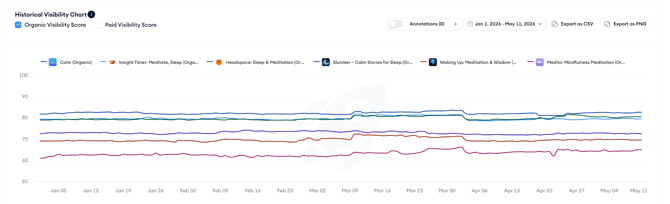
Organic Visibility Score reflects how visible your app is in organic App Store or Google Play Store search across all storefronts. A higher score indicates broader and stronger organic presence. The score is calculated daily and reflects the previous day's data.
Paid Visibility Score reflects how visible your app is through Apple Ads across storefronts. It is calculated separately from the organic score and gives you a comparable signal for your paid presence.
Both scores are shown side by side for your app and up to five competitors, so you can see your relative position at a glance and track how it changes over time.
What the tool covers
Visibility Report is organized into three tabs.
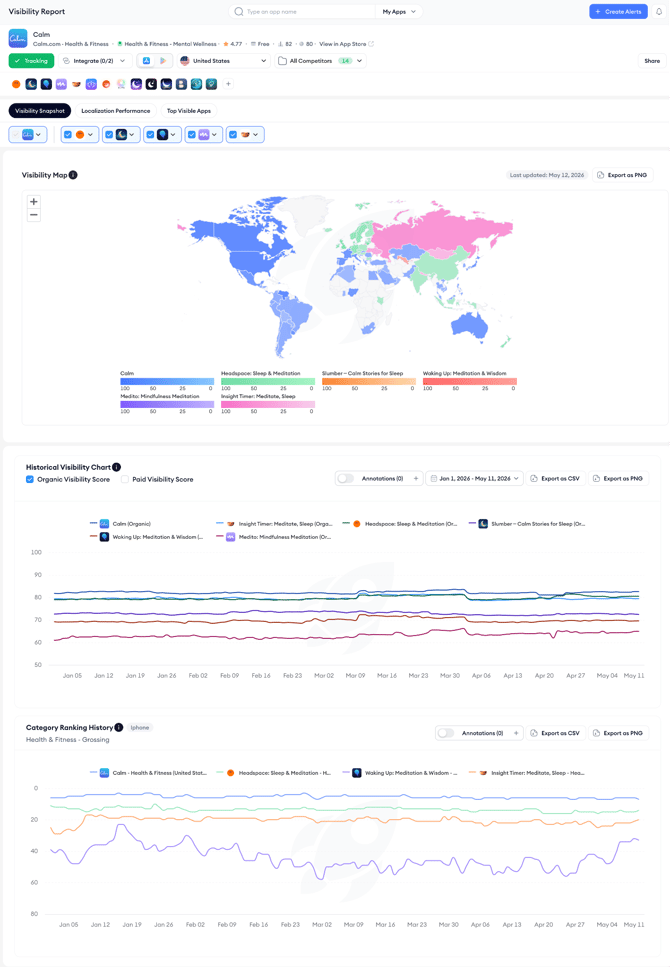
Visibility Snapshot gives you a cross-storefront view of current visibility through a world map, a historical chart of both scores over time, and a category ranking history chart.
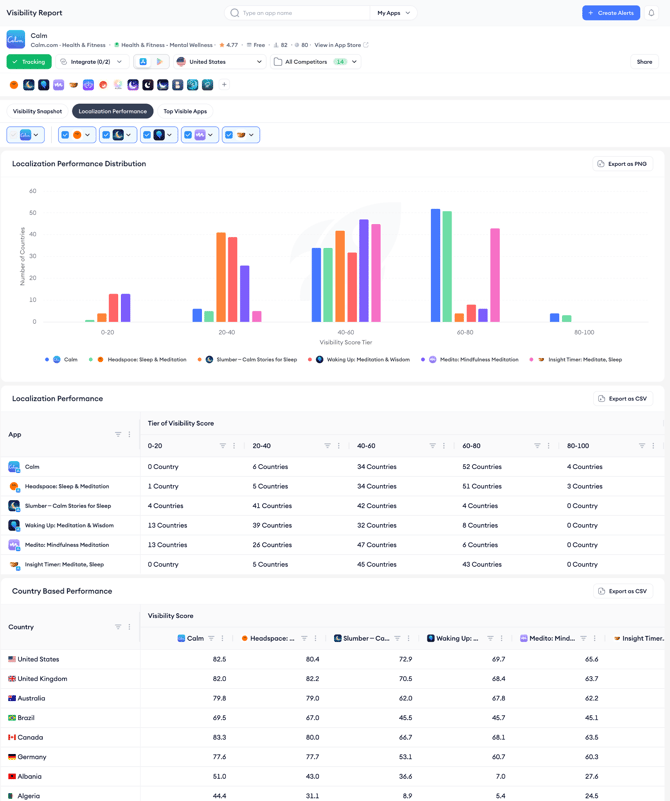
Localization Performance breaks down visibility by storefront and score tier so you can identify markets where localization investment is paying off and where gaps remain.
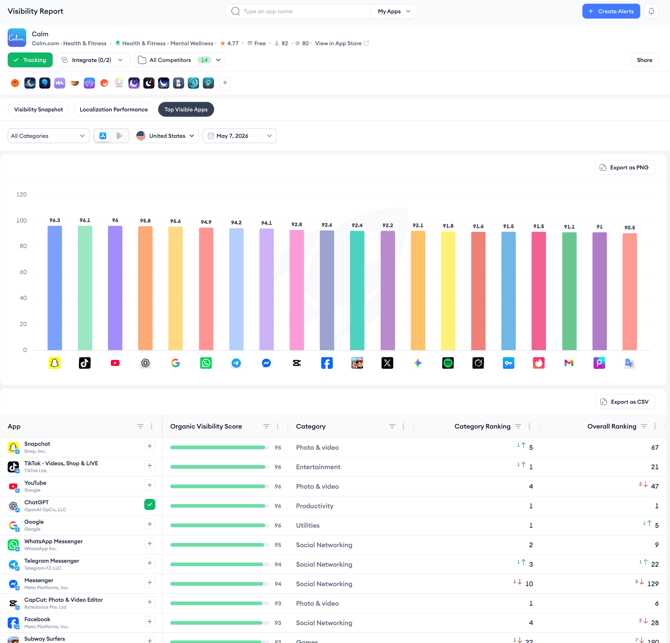
Top Visible Apps shows the highest-visibility apps in any category and storefront on a given day, with the option to add any app to your tracking directly from the table.
What the tool does not cover
The Visibility Report shows visibility scores and category rankings. It does not show keyword-level ranking data, which is covered by ASO Report and Keyword Tracking. It also does not show conversion rates, install volumes, or revenue data.
Related links
Need more help?
If you have further questions on the process, contact your dedicated Customer Success Manager or contact the support team via live chat.