
The Category Ranking History chart in Visibility Report shows how your app's position within its App Store category has changed over time. It plots your rank alongside the same competitors shown across the rest of the Visibility Snapshot tab, so you can see whether visibility score changes are translating into actual category movement.
Category Ranking History is part of the Visibility Snapshot tab. For an overview of everything that tab contains, see Read the Visibility Snapshot.
What the chart shows
The vertical axis shows category rank; lower numbers indicate a higher position. Each selected app appears as a line. The chart reflects the category shown in the label below the chart title, which corresponds to the app's primary category.
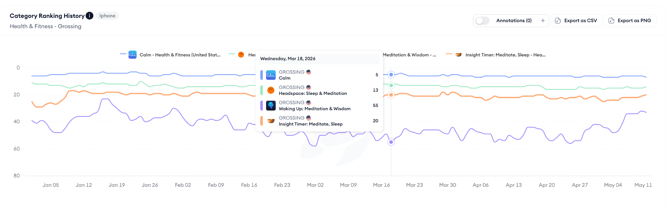
Category rank is a direct signal of how your app compares to every other app in the same category.
A visibility score improvement that does not produce a category rank improvement may indicate that competitors in your category are improving at a similar rate, or that your gains are concentrated in keywords outside your primary category.
Using the chart controls
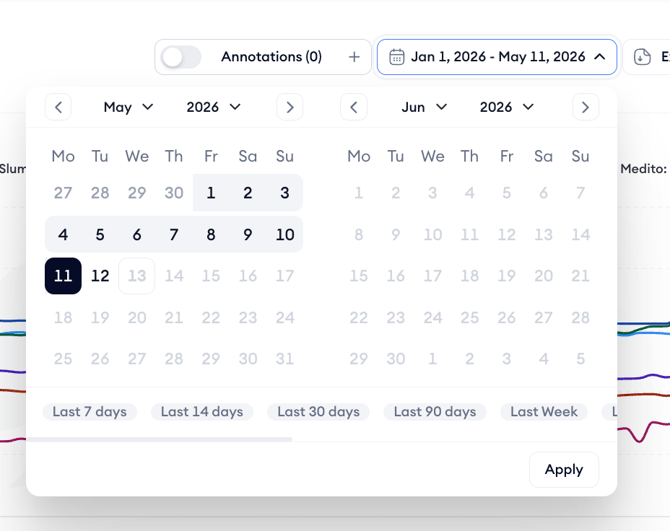
The date range picker controls the period shown. Use a longer range to identify sustained trends and a shorter range to focus on the impact of a specific update or campaign period.
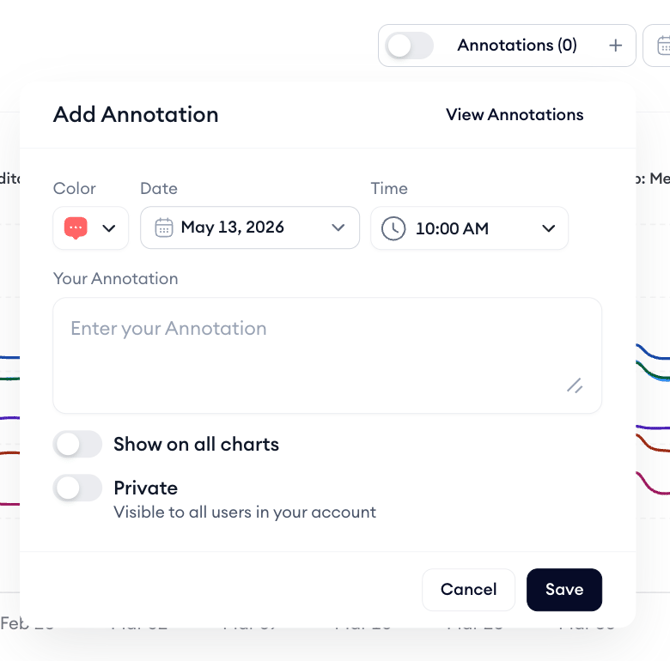
The Annotations toggle shows or hides annotations on the chart. Annotations added here follow the same rules as elsewhere in the Visibility Report; any team member can add them, they can be marked as private, and the Show on all charts option displays them across all charts in the tool for the same app.
Click Export as CSV to download the rank data or Export as PNG to save the chart as an image.

After you finish
If your category rank is declining while your visibility score is stable or growing, that suggests competitors in your category are gaining faster than you are.
Use Top Visible Apps to see which apps are rising in your category and whether any of them are worth adding as tracked competitors. See Identify top visible apps by storefront and category.
Related links
Need more help?
If you have further questions on the process, contact your dedicated Customer Success Manager or contact the support team via live chat.