
The Top Visible Apps tab in the Visibility Report shows the highest-visibility apps in any App Store category and storefront on a given day.
Use it to benchmark your app against the market leaders in your category, spot rising competitors, and add apps of interest directly to your tracking.
To understand what the Organic Visibility Score represents, see About Visibility Report.
Set your filters
Top Visible Apps has its own set of filters independent from the rest of the Visibility Report. At the top of the tab, set the category, store (App Store or Google Play Store), country, and date you want to analyze. The chart and table update when you change any filter.
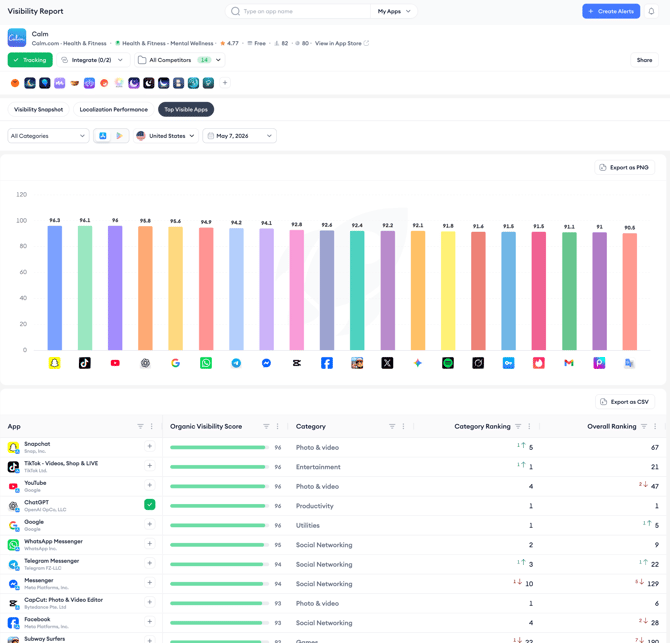
Selecting All Categories gives you a cross-category view of the highest-visibility apps in the entire store for that storefront and date. Selecting a specific category narrows the view to apps competing directly in your space.
Read the bar chart
The bar chart shows the top 20 apps by Organic Visibility Score for your selected filters. Each bar represents one app. The height of the bar corresponds to the score value, shown as a number above each bar. Hovering over a bar shows a tooltip with the app name and exact score.
Click Export as PNG to save the chart as an image.
Read the table
Below the chart, the table lists the same apps with additional details. Each row shows the app name and developer, a progress bar representing the Organic Visibility Score, the app's category, its category ranking, and its overall App Store ranking.
The category ranking and overall ranking columns both show change indicators, arrows with numbers showing how much the rank has moved since the previous data point. A green upward arrow indicates an improvement; a red downward arrow indicates a decline.
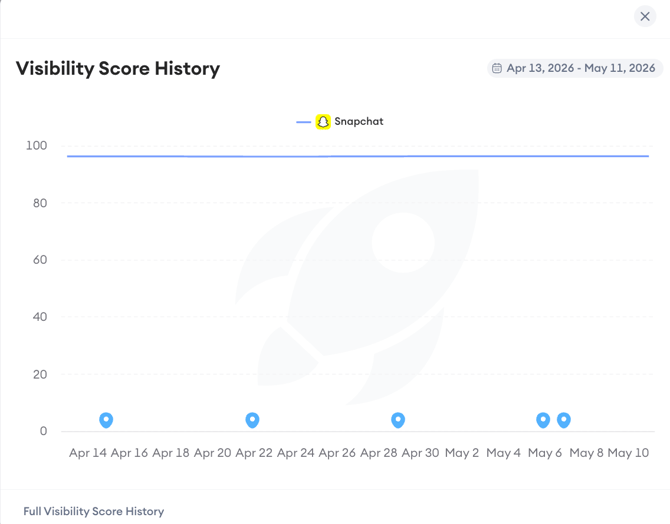
Clicking the Organic Visibility Score bar for any app opens a Visibility Score History popup. The popup shows a 28-day line chart of that app's score history for the selected storefront. A link to the full visibility score history is available at the bottom of the popup for deeper analysis.
Add apps to your tracking
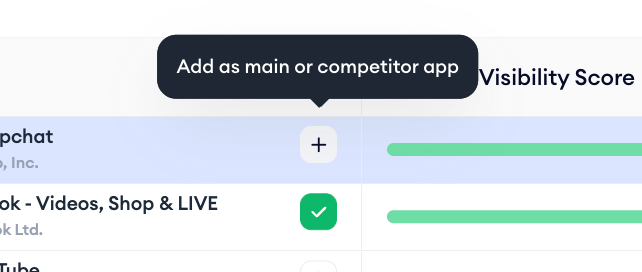
Each row in the table has a + button. Clicking it shows a tooltip: Add as main or competitor app. This lets you add any app from the Top Visible Apps table directly to your tracking setup without leaving the Visibility Report. Apps already in your tracking show a green checkmark instead of the + button.
After you finish
If you find a high-visibility app in your category that you are not currently tracking as a competitor, add it using the + button and it will appear in your competitor chip row across all tabs in the Visibility Report.
You can then compare its visibility score history against your own in the Historical Visibility Chart.
Related links
Track historical visibility score changes
Measure localization impact on visibility
Export and share Visibility Report data
Need more help?
If you have further questions on the process, contact your dedicated Customer Success Manager or contact the support team via live chat.