
This article lists what you need before using AI Keyword Planner and the key limits that apply to the tool.
To learn what the AI Keyword Planner does, see About AI Keyword Planner.
Apple Ads integration
AI Keyword Planner requires an active Apple Ads integration to function.
If your account is not connected to Apple Ads, you will see a prompt to complete the integration before you can access the tool. To connect your account, follow the Apple Ads integration steps in the MobileAction campaign management platform.
Access levels
Your level of access to AI Keyword Planner depends on your Apple Ads integration status:
|
Access type |
What you can do |
|
Read-only access |
Discover keywords and view recommendations. Save keywords and download them. You cannot add keywords or negative keywords to campaigns or ad groups. |
|
Read & Write access |
Full access to all AI Keyword Planner actions, including adding keywords to ad groups and adding negative keywords. |
Discovery limits
- Storefront selection is limited to one storefront per discovery.
- App-focused discovery is limited to your own apps. Competitor apps are not available.
- You can enter up to 10 seed keywords per session.
- The system returns up to 300 keyword recommendations per session.
Keyword action limits
- You can select up to 30 keywords at a time for the Add to Ad Group and Add as Negative Keyword actions.
- Keywords can only be added to one ad group per operation.
- Negative keywords can be added to up to 5 campaigns or 5 ad groups per operation.
- Only search results campaigns are supported for keyword and negative keyword actions.
- Automated ad groups cannot be selected for keyword actions.
Saved keywords limits
- Each saved keyword list can hold a maximum of 1,000 keywords.
- A keyword list is tied to the input pair used during discovery; either app + storefront or keyword + storefront. Keywords from different input pairs cannot be saved to the same list.
- Saved keywords are shared across all users within the same Campaign Group.
- Duplicate keywords are not added. If a keyword already exists in the target list, it is skipped during saving.
Session behavior
AI Keyword Planner works on a session-based structure. Leaving the page, refreshing the browser, navigating to another module, closing the tab, or logging out resets the current session. Any unsaved discovery inputs and generated keyword results are cleared. Keywords already saved to a list are not affected.
Campaign Group context
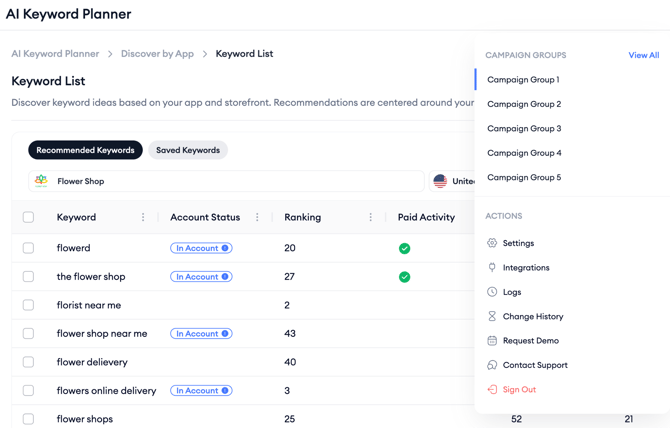
All keyword actions are scoped to the Campaign Group selected in the top-right corner of the tool. You cannot add keywords to campaigns or ad groups outside of the currently selected Campaign Group. Switching Campaign Groups during an active session resets the workflow.
Related links
Add keywords as negative keywords
Need more help?
If you have further questions, contact your dedicated Customer Success Manager or reach the support team via live chat.