
The AI Assistant lets you ask questions about your Apple Ads data in natural language and get direct answers, usually with a supporting table.
This article covers what you need before your first question, how to open the assistant, and how to start a conversation.
Before you start
You need two things to use the AI Assistant:
- Your account has access to the AI Assistant. During the open beta, this is available to MobileAction customers as early access.
- Your account has granted the Generative AI Features consent. Only account admins can grant it. If it is not yet granted, see Enable Generative AI Features consent.
If you do not see the Ask AI button, one of these two conditions is not met yet.
Open the AI Assistant
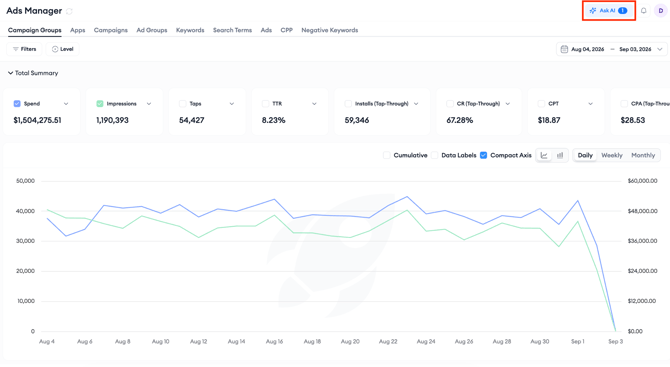
- Click the Ask AI button in the platform.
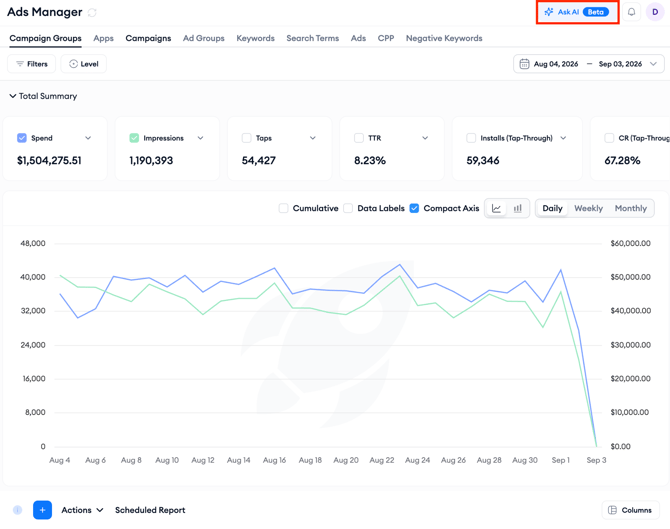
3. You can close the window at any time with the close (×) button, even while an answer is still being generated. If an answer completes while the window is closed, the Ask AI button shows a badge with the number of completed responses waiting for you.
Select a campaign group
Every conversation is scoped to a single campaign group. This tells the assistant which account data to analyze.
- In a new chat, open the campaign group selector at the top right of the window.
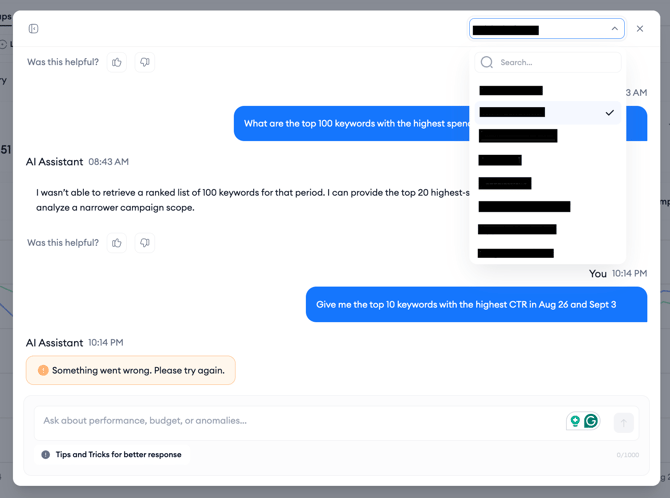
- Use the search field to find the campaign group you want, and select it.
- The message box becomes active once a campaign group is selected. Until then, it stays disabled.
To analyze a different campaign group later, start a new chat. If you change the campaign group in an active conversation, the assistant asks you to confirm; your current conversation is kept in the chat history, and a fresh chat begins with the new selection.
Ask your first question
- Once a campaign group is selected, six example question cards appear.
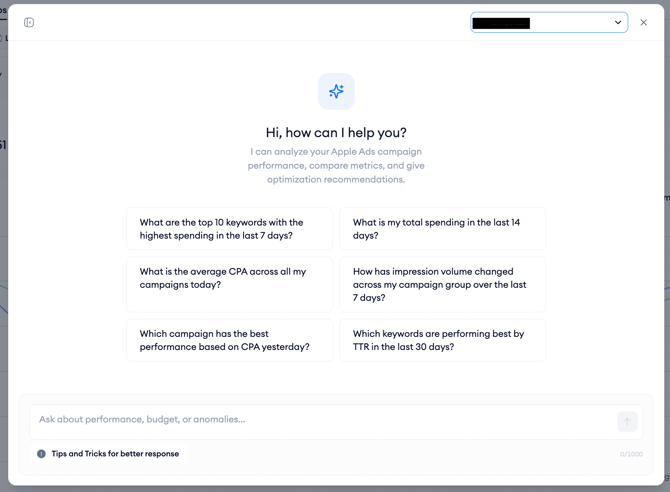
2. Click any card to send that question instantly, no typing needed. Examples include “What is my total spending in the last 14 days?” and “Which campaign has the best performance based on CPA yesterday?”3. Or type your own question in the message box. Questions can be up to 1000 characters.
4. While an answer is being generated, the send button becomes a stop button. You can stop generation at any point, and whatever has been generated so far is kept.
Pro tip: For the fastest, most accurate answers, see Ask questions and get better answers. Two habits help immediately: ask one question per message, and put multi-word campaign or ad group names in quotes.
Related links
About the AI AssistantEnable Generative AI Features consent
Ask questions and get better answers
Manage your chats
Need more help?
If you have any questions, feel free to reach out to your dedicated Customer Success Manager or contact us through live chat.