
Narrow the Top Advertisers ranking to a single category, app taxonomy, or game taxonomy to find the top Apple Ads spenders in your space rather than the market as a whole.
Apply a category filter
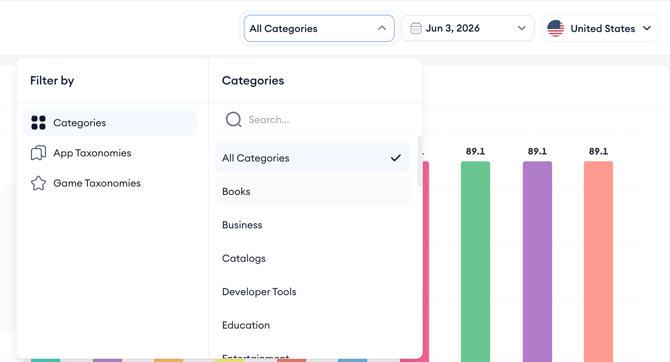
- Open the category selector at the top of the page.
- Choose how you want to filter: Categories, App Taxonomies, or Game Taxonomies.
- Pick a specific category, app taxonomy, or game taxonomy from the list, or use the search box to find one.
- The chart and ranking table reload with only the advertisers in the selected segment.
When to use each filter
- Use Categories to compare against direct App Store category competitors.
- Use App Taxonomies to drill into more granular non-game segments.
- Use Game Taxonomies to drill into specific game subgenres.
Related links
- View the top Apple Ads advertisers ranking
- Read the performance metrics
- Set the region and date
- Export the advertiser list
Need more help?
If you have further questions or run into any issues, reach out to your dedicated Customer Success Manager or contact the support team via live chat.