
Top Creatives surfaces the best-performing ad creatives detected across ad networks. Use it to spot winning formats and trends to inform your own creative strategy.
Open the feed
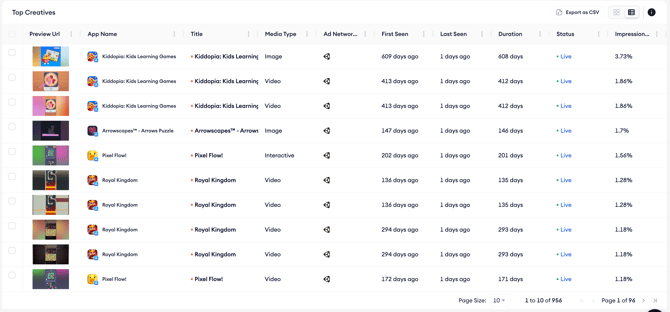
- Open Top Creatives from the Ad Intelligence menu.
- Confirm the platform, country, ad network, category, taxonomy, and date selections at the top of the page.
- Browse the feed, which loads creatives sorted by impression share by default.
Switch between grid and list view
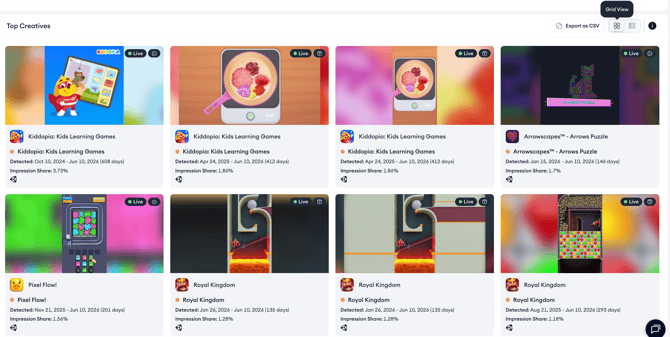
Use the view toggle at the top right of the feed to switch between grid and list view. Grid view shows large creative previews side by side and is best for visual scanning, while list view stacks creatives vertically with more detail visible per row.
What you see in the feed
Each creative tile shows a preview of the creative, a Live or Inactive state label, the source app and category, the detected date range, impression share, and the ad network delivering the creative.
Select one or more creatives in the feed and mark them as seen or unseen. Use this to track which creatives you have already reviewed and keep your feed organized as you work through a large set of results.
Related links
- Inspect creative details
- Save a creative to a collection
- Filter, sort, and export the creatives feed
Need more help?
If you have further questions or run into any issues, reach out to your dedicated Customer Success Manager or contact the support team via live chat.