
Apply column filters to narrow the keyword table and focus on the keywords that matter most for your analysis.
Open a column filter
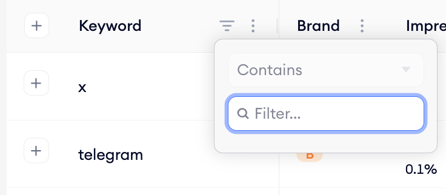
- Find the column you want to filter on in the keyword table header.
- Click the filter icon next to the column name.
- Set your filter conditions and apply.
Search for a specific keyword
Use the search field above the table to look up a single keyword in the current keyword list. The table filters are in place to show only matching keywords.
Combine filters
Filters from different columns stack together. For example, you can filter the table to show only keywords with total impression share above a certain threshold and an organic keyword rank below 10 at the same time.
Related links
- Find an app’s paid keywords
- View an app’s active countries
- Compare an app against competitors
- Set the region and date range
- Export keyword data
Need more help?
If you have further questions or run into any issues, reach out to your dedicated Customer Success Manager or contact the support team via live chat.