
Add competitors to Search Result/App to benchmark paid keyword strategies side by side. Use this to spot keyword overlaps, identify gaps in your own coverage, and see where competitors are outbidding you.
Add a competitor
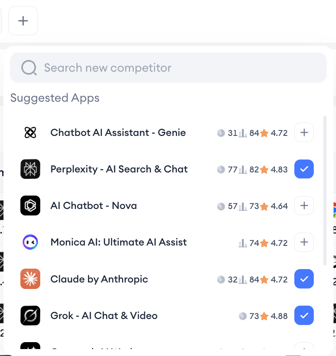
- Run a search for the main app you want to analyze.
- Find the competitor selector below the app information section.
- Click the plus button to add a new competitor app.
- Search for the competitor by name and select it from the suggestions.
Switch between competitors
Each competitor you add appears as a radio toggle next to the main app. Select any toggle to load that app’s paid keyword list into the table.
Read the comparison
When viewing a competitor, the keyword table shows the same metrics as the main app: keyword, Total Impression Share, 1st Placement Impression Share, 2nd Placement Impression Share, organic rank, volume, and ranked apps.
Compare these between apps to identify:
- Keywords your competitor bids on that you do not.
- Keywords where your competitor has a higher Total Impression Share or stronger visibility in a specific placement.
- Keywords where your competitor outranks you organically.
Related links
- Find an app’s paid keywords
- View an app’s active countries
- Filter the keyword list
- Set the region and date range
- Export keyword data
Need more help?
If you have further questions or run into any issues, reach out to your dedicated Customer Success Manager or contact the support team via live chat.