
Search Result/Keyword data is scoped to a specific storefront and date range. Adjust both to analyze keyword activity for the market and the time window you're interested in.
Change the region
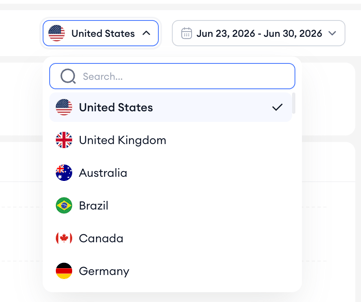
- Open the country selector at the top of the page.
- Pick the country whose keyword activity you want to analyze.
- The headline metrics, impression share chart, and apps table reload with data from that storefront.
Change the date range
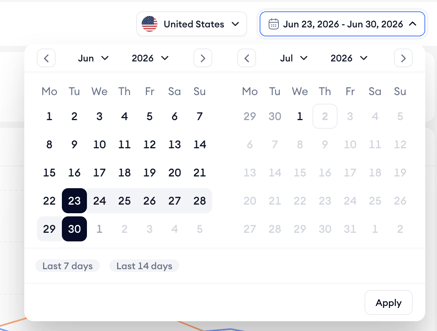
- Open the date picker at the top right of the page.
- Select a preset range or enter a custom start and end date.
- The view refreshes to reflect activity within the selected window.
Use shorter date ranges to spot recent shifts in keyword competition, and longer ranges to see broader trends or seasonal patterns.
Data availability: The latest available data is from the previous day. The current day is still being processed and cannot be selected.
For dates from May 1, 2026 onward, impression share includes 2nd placement impressions. For dates before May 1, 2026, the earlier calculation applies and 2nd placement impressions are excluded.
Related links
- Analyze a keyword’s competitive landscape
- Read keyword performance metrics
- Track impression share trends over time
- Review the apps ranking for a keyword
Need more help?
If you have further questions or run into any issues, reach out to your dedicated Customer Success Manager or contact the support team via live chat.