
SearchAds.com allows its users to see all the financial details of their own account. Curious about how much you spent throughout the year? Visit the “Ad Spend History” tab under Settings to get visibility right away.
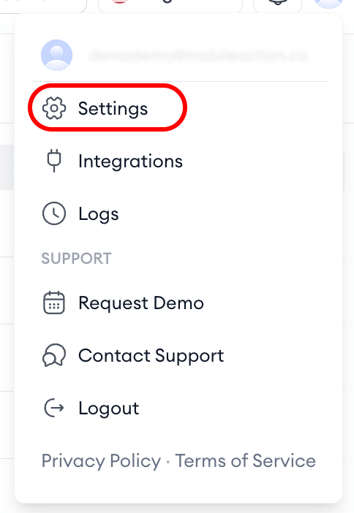
By connecting to our payment processing infrastructure, the Ad Spend History tab contains all historical spending information for your account. The table in the tab provides a detailed history of your Apple Ads spend originating from Campaign Groups. By clicking on the arrows next to the year information in each tab, you can see which Campaign Group spent how much of your budget.
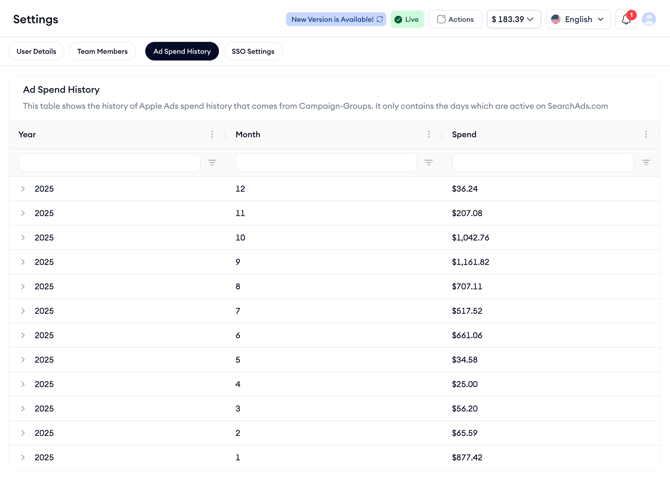
This section includes data only for the days that your ads are active on SearchAds.com, ensuring you have access to relevant and timely spending information and helps you track and manage your ad spend. Make sure to utilize this tab to keep your account's financial health in check and optimize your ad spend.
If you have further questions or need assistance, don’t hesitate to contact your dedicated Customer Success Manager or get in touch with us via live chat!