
Setting up SSO can sometimes be tricky. If you run into any issues during the process, refer to the guide below to get back on track.
1- Unsupported identity provider
Error Message: "Unsupported provider, please check Support documentation to see supported providers."
This message appears if the system detects an Identity Provider (IdP) that is not currently integrated with our platform.
We currently officially support Okta and OneLogin. Ensure you are configuring one of these two providers; if your organization requires a different IdP, please let us know so we can consider adding it to our roadmap based on your feedback.
2- Invalid discovery URL
Error Message: "Invalid Discovery URL. Please provide a valid OpenID Connect discovery endpoint (/.well-known/openid-configuration)."
This message appears when the URL in the Discovery URL field isn’t formatted correctly or isn't pointing to the right place. To fix this, you need to ensure the system can find your OpenID configuration JSON.
Here is how you can resolve this issue:
- Find your Issuer URI: Log in to your Okta Admin dashboard, navigate to Security > API, and click on the Authorization Servers tab.
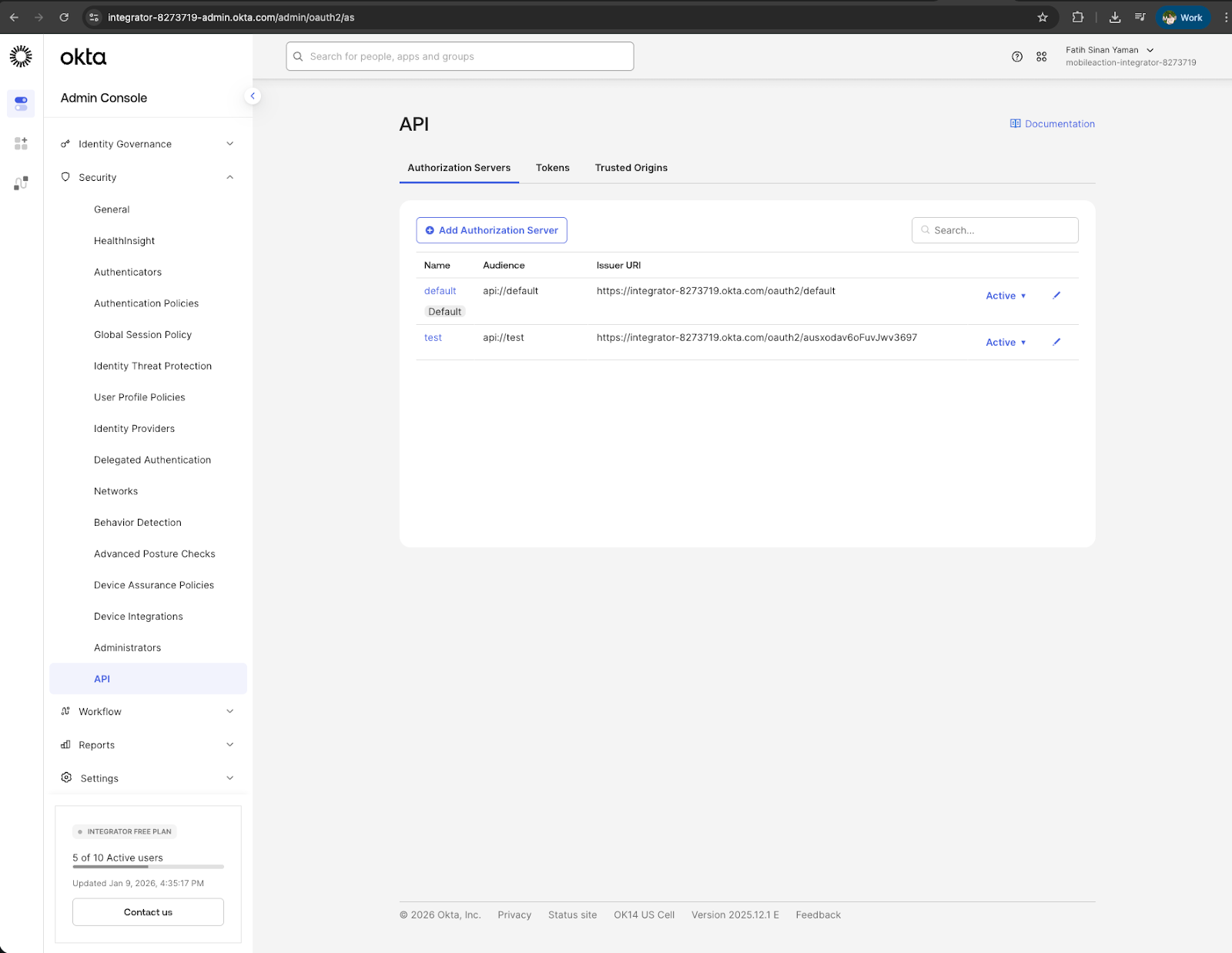
- Create the correct endpoint: Take the Issuer URI for the server your application is connected to and add /.well-known/openid-configuration to the end of it.
- Verify your credentials: Double-check that your Client ID and this Discovery URL come from the same Authorization Server and application in Okta, as they must match to communicate.
- Save your changes: Paste the complete URL into the Discovery URL field in your SSO Settings and click Save.