
Example review–reply pairs help AI Review Reply generate responses that are closer to your brand’s tone. This article explains what example pairs are, when to use them, and how many you can add.
How example review–reply pairs work
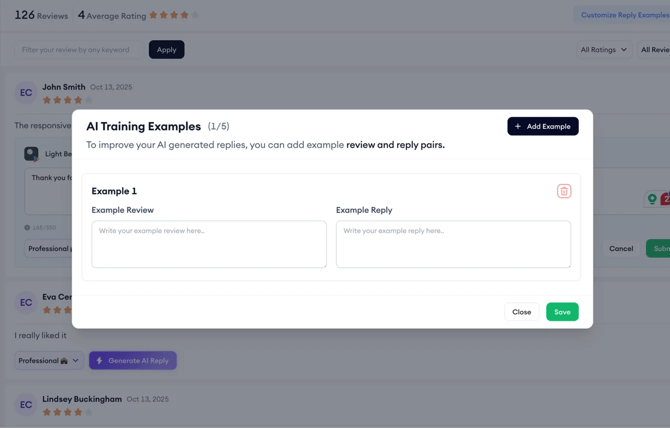
An example review–reply pair includes:
- A sample review
- A reply that shows how you want to respond to that kind of review
AI Review Reply can use these examples as guidance when creating future replies.
You can add example pairs for common feedback topics, such as:
- Pricing
- Crashes
- Feature requests
Adding pairs can help replies stay consistent, even when different people manage review responses.
Keep in mind
- You can add up to five example review–reply pairs per app.
- Example pairs are optional.
- AI Review Reply can still generate replies even if you do not add example pairs.
Instructions
- Go to App Intelligence.
- Click AI Review Reply.
- Choose the app you want to work on.
- Add an example review.
- Add the reply you want the AI to use as guidance.
- Repeat this for other examples, if needed.
You can add up to five example review–reply pairs for each app.
Pro tip: Use example pairs for review topics your team sees often. This can help the AI follow your usual response style for recurring feedback.
Related links
- About AI Review Reply
- How to use AI Review Reply
- App Store Connect – Reviews Manager
- Google Play Console – Reviews Manager
Need more help?
If you have further questions on the process, contact your dedicated Customer Success Manager or contact the support team via live chat!