
The Organic Acquisition Dashboard gives you a monthly summary of your app's organic growth across the App Store and Google Play Store. It brings together downloads, reviews, and keyword rankings in one view, so you can monitor visibility, performance, and user sentiment without switching between reports.
The dashboard is designed for ASO managers, marketers, agencies, and product teams. It updates daily.
To learn how to open and navigate the dashboard, see Use the Organic Acquisition Dashboard.
What you can see
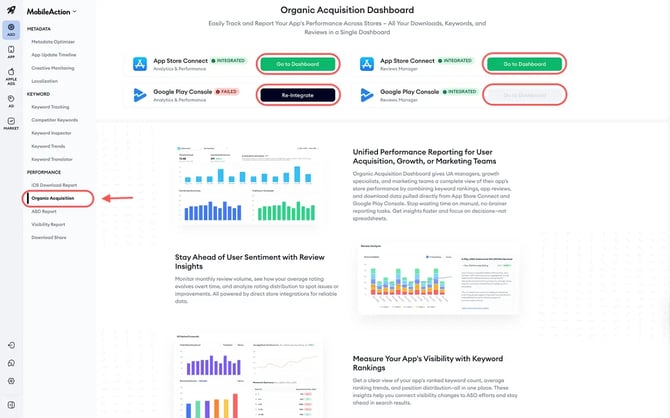
The dashboard has four sections.
Total and organic downloads
This section shows cumulative download totals across your selected months. An AI-generated summary compares your first and last month, and a bar chart shows monthly totals so you can spot trends over time.
Note: On Google Play Store, organic download data is only available when All Countries is selected. If you filter to a specific country, organic downloads are hidden.
Download source breakdown
This section shows where your downloads came from each month.
- On App Store Connect, sources are Search and Browse.
- On Google Play Console, sources are Search and Explore.
Each source has its own monthly bar chart, so you can tie shifts in traffic to metadata changes, creative updates, or featured events.
Note: On Google Play Store, this section only appears when All Countries is selected.
Review analysis
This section shows the monthly review volume and rating quality. Stacked bars represent star ratings from 1 to 5, and a line overlaid on the chart shows your average rating over time. An AI-generated summary explains how ratings changed across your selected range.
- On App Store Connect, the data follows your top-level country filter.
- On Google Play Console, a language dropdown lets you filter reviews within this section.
This section only appears if you have a Reviews Manager integration active for that platform. If Reviews Manager is not connected with a store, the section is hidden for that store.
Keyword ranking
This section shows how your keyword coverage changes over time. It includes four views:
- Total ranked keywords by month: The number of keywords your app ranks for each month, so you can see whether your coverage is growing or shrinking.
- Average rank: A weighted score of your overall ranking footprint. A lower score reflects stronger visibility in top-tier positions.
- Ranking distribution: How your keywords are spread across six tiers, from top positions to the long tail.
- Movement summary: A comparison between your first and last selected months, highlighting gains and losses across tiers.
You can click the quick link in this section to open the ASO Report and inspect the underlying keywords.
Related links
- Use the Organic Acquisition Dashboard
- Fix missing data in the Organic Acquisition Dashboard
- How to integrate your App Store Connect account for Analytics & Performance reports
- How to integrate your Google Play Console account for Analytics & Performance reports
Need more help?
If you have further questions on the process, contact your dedicated Customer Success Manager or contact the support team via live chat!