
Portfolio View gives you a portfolio-level view of your app performance, competitive positioning, and optimization opportunities. It brings together performance metrics, AI-powered insights, Impression Share, competition trends, keyword bid recommendations, budget utilization, and placement opportunities in one place.
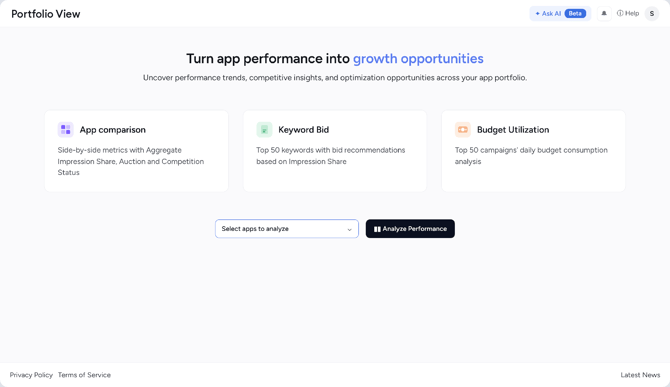
Who can access Portfolio View
Portfolio View is available to Enterprise Apple Ads CMP clients. If you are a Free Apple Ads CMP user, Portfolio View is displayed with a lock icon, and you need to contact Sales to access it.
What Portfolio View shows
Once you select at least one app, the dashboard includes four main sections.
The Selected Apps Summary provides an aggregated view of Spend, Installs, CPA, and CR for the apps selected in the App Selector.
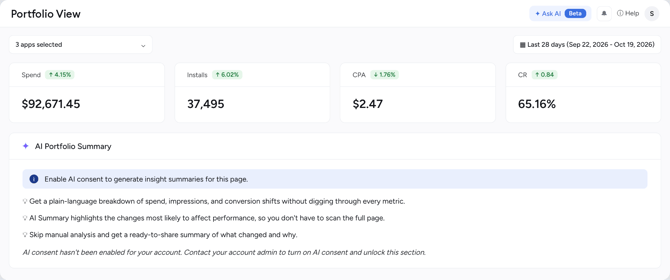
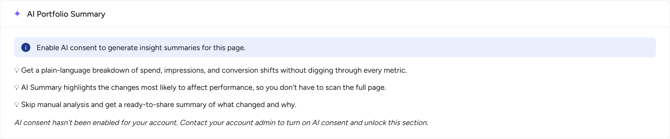
The AI Portfolio Summary provides a concise, natural-language overview of portfolio performance and optimization opportunities based on the selected apps.
App Comparison lets you compare the selected apps side by side.

Recommendations provides optimization opportunities based on the selected app. It includes Display Placement Recommendations, Keyword Bid Recommendations for Top 50 Keywords, and Budget Utilization for Top 50 Campaigns.
If there is no available data for a section, No Data is displayed.
Date range and currency
The dashboard uses a fixed last 28 days date range, excluding today. No additional date range can be selected. Display Placement Recommendations are an exception and display Q2 2026 data.
Data across Portfolio View is displayed in USD, regardless of your account currency.
Related links
How to analyze your app portfolio with Portfolio View
How to compare apps in Portfolio View
How to review recommendations in Portfolio View
Need more help?
If you have any questions, feel free to reach out to your dedicated Customer Success Manager or contact us through live chat.