
SearchAds.com by MobileAction, an official Apple Ads Partner, offers a campaign management platform equipped with advanced capabilities. It simplifies the automation, optimization, and monitoring of all Apple Ads campaign data on a single platform. Designed for user acquisition and app growth professionals, SearchAds.com aims to streamline the labor-intensive, error-prone, and data-heavy manual campaign management process with its data-driven solutions.
In this article, we will dive deep into every section of SearchAds.com’s sidebar and explain what each term and page mean so that you can get the most out of the platform.
Overview
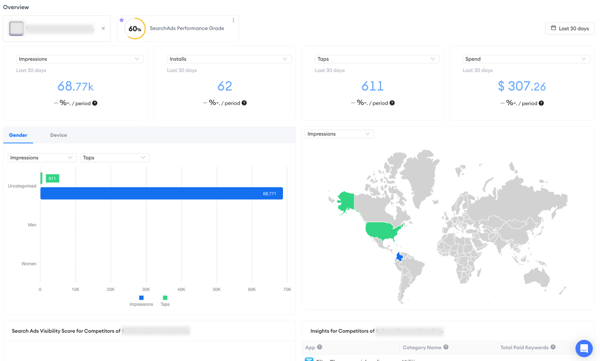
The Overview page, as its name suggests, provides a comprehensive performance overview. Here, you can view key metrics such as installs, taps, impressions, and spending related to your SearchAds performance grade. Additionally, the page features the top 10 keywords and a map that allows you to track changes in your metrics across various regions and countries.
Ads Manager
Ads Manager is your central hub for overseeing campaign groups, keywords, and more. Ensure optimal performance across all your ad campaigns with this powerful tool. View your comprehensive data on your campaign groups, campaigns, ad groups, and keywords. It is a multi-layered tool that enables you to monitor and manage the performance of your campaigns, keywords, search terms, and custom product pages, all from a single dashboard. With Ads Manager, you can track various metrics and take actions such as changing bids or adding keywords.
%201.png?width=600&height=350&name=searchads.mobileaction.co_dashboard_campaigns%20(12)%201.png)
Automations
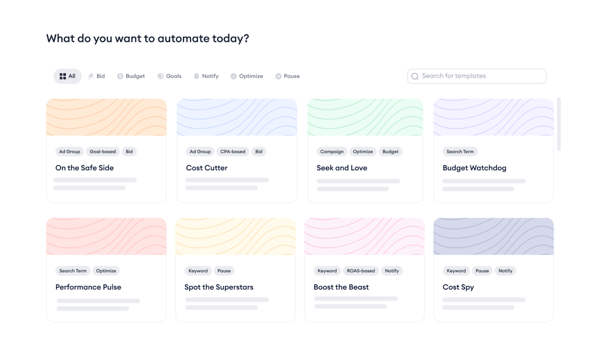
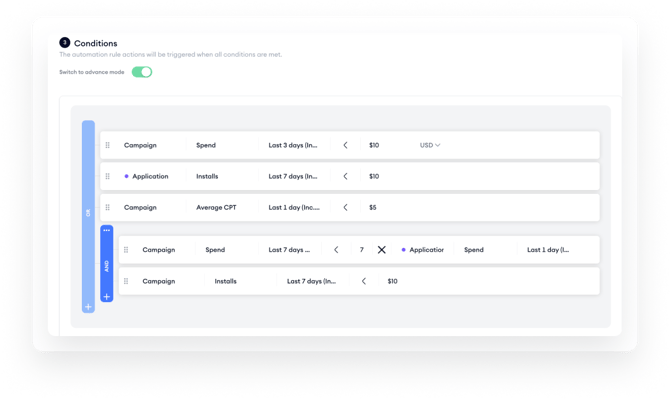
Automate the error-prone, manual, and time-consuming process of campaign management with Automations. Instead of manually checking each metric and adjusting every campaign group, campaign, ad group, or keyword, you can create automations or use 20+ automation templates developed by our experts based on the most common challenges app marketers face. Automations are designed to enhance your app's visibility, manage budgets intelligently, and execute your brand's strategy.
CPP A/B Testing
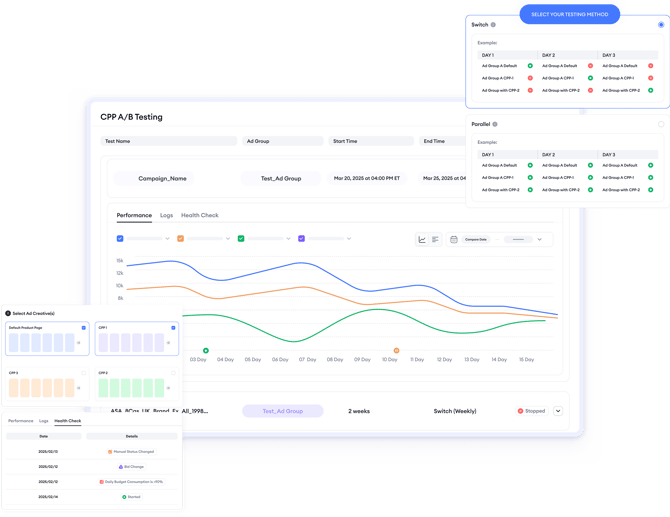
CPP A/B Testing is a fully automated testing tool designed to help app growth teams compare different custom product pages and ad group configurations within Apple Ads campaigns. It allows you to test multiple variations under controlled conditions, so you can understand which option drives stronger performance without relying on manual setup or guesswork.
Instead of switching pages or ad groups by hand and trying to control timing, traffic, or seasonality yourself, CPP A/B Testing runs these experiments for you. The system isolates external factors such as time-of-day effects and traffic fluctuations, then evaluates results using a consistent statistical framework. This approach makes it easier to move forward with optimization decisions backed by reliable data.
Co-pilot
Keyword Advisor
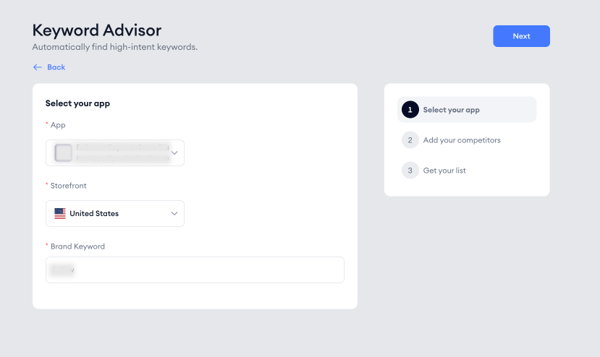
Uncover the organic keywords for which your competitors are ranking using Keyword Advisor. Effortlessly, discover the keywords you might be missing based on your competitors' paid keywords. It utilizes their impression share metrics to inform your bidding decisions. By analyzing the market, competitors' keywords, and country performances, Keyword Advisor identifies the most profitable keywords, ensuring maximum Return on Ad Spend (ROAS) for your app.
Smart Bidding
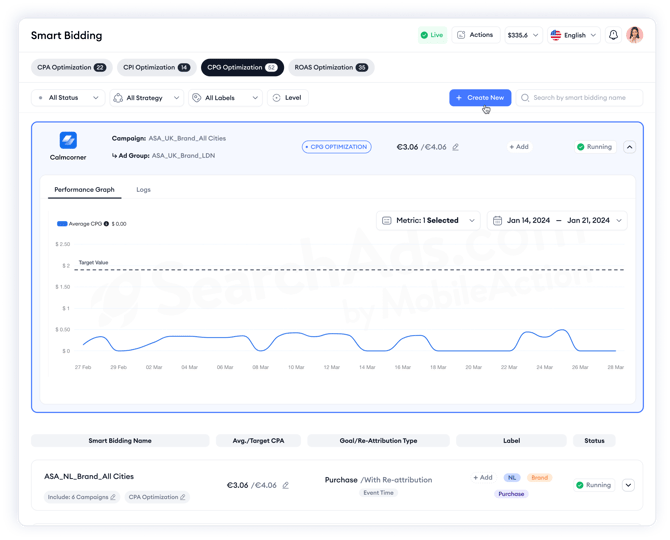
Optimize your bidding strategy and reduce costs using AI-based algorithms of Smart Bidding and simplify your bidding process. Adjusts your bids in response to market dynamics, enhancing your return on investment. This tool ensures optimal bidding on the most relevant keywords at the precise times needed and swiftly evaluates the health of your campaigns. It guarantees accurate bidding on the right keywords, preventing unnecessary expenditure.
Budget Allocation
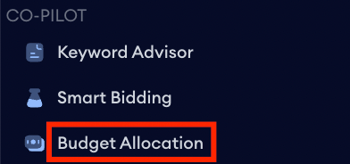
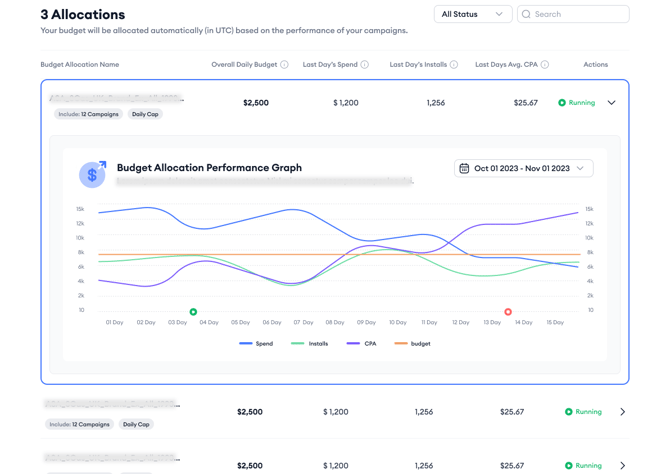
Distribute your ad spend among your selected campaigns and guarantee smarter spending with Budget Allocation. Utilizing a data-driven algorithm, it autonomously manages your campaign budgets, minimizing the need for manual adjustments. The tool strategically directs your budget to the most profitable campaigns within your allocation group, which show the greatest potential for high returns based on their performance metrics.
Benchmarks
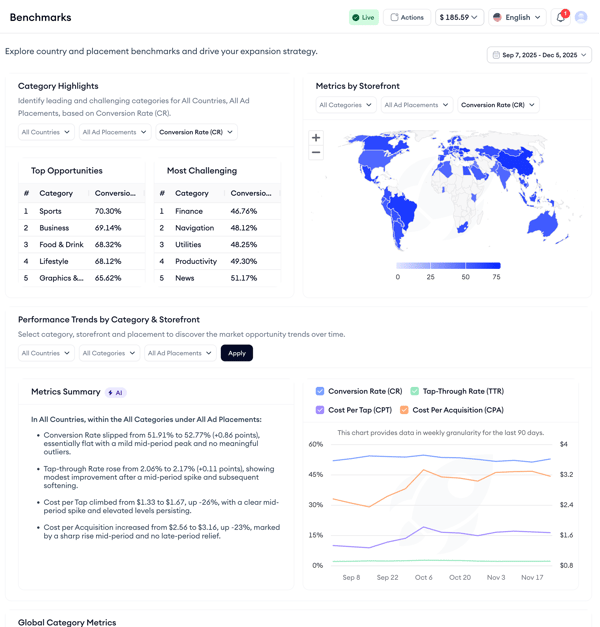
Receive insights across various categories, countries, and ad placements at different times with Benchmarks. Examine industry benchmarks for cost and conversion metrics across all categories and subcategories.
Recommendations
Take faster action by suggesting keywords to pause, increase, or decrease bids on using Recommendations. So you can act faster with a single click.
-1.png?width=600&height=293&name=image%20(16)-1.png)
Keyword Auction Insight
Use Keyword Auction Insights to search for the paid impression shares of keywords and look up any keyword to identify the apps receiving paid impressions from it. Additionally, you can track selected keywords to see which apps benefit from paid impressions and use graphics for trend monitoring and comparisons.
.png?width=600&height=458&name=image%201788%20(1).png)
CPP Intelligence
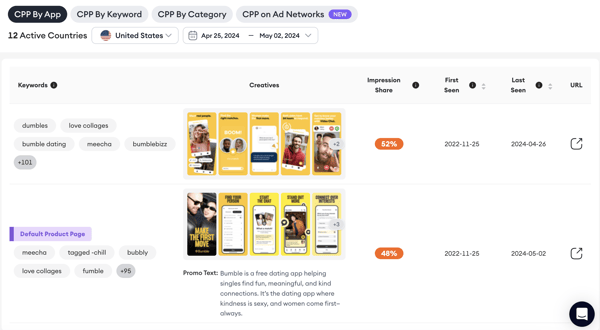
Gain a clear view of high-performing custom product pages in your market with CPP Intelligence, enabling you to optimize yours without the need for A/B testing. You can search for an app and view its custom product pages. Additionally, you can search by keyword to discover which custom product pages appear for that specific term. Searching by category also lets you observe trends within your category in terms of custom product pages.
Organic Keyword Hunt
Extend your organic keyword pool with a keyword list based on your competitors’ data with Organic Keyword Hunt. Find many keywords from different rankings and add them with a single click.
.png?width=670&height=341&name=Group%2025%20(1).png)
Mobile Measurement Partner
Attribution
On the Attribution page you can see and track your Mobile Measurement Partner (MMP) attributions.
Goals
On the Goals page, you can create and manage goals for your performance. Creating goals will give you better and more relevant insights.
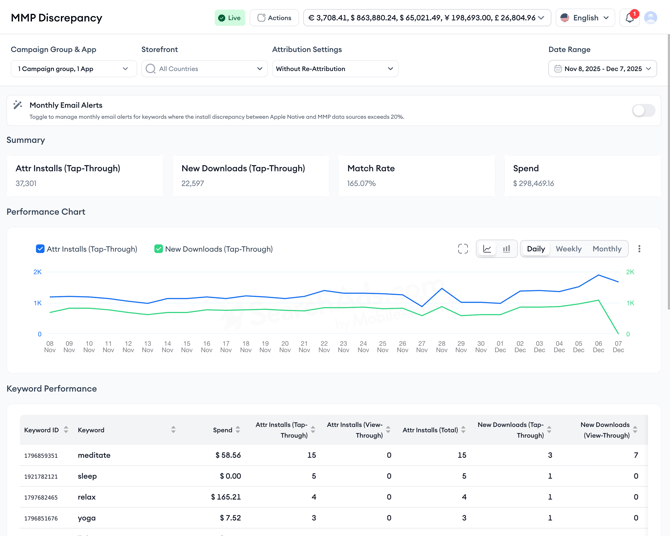
MMP Discrepancy Dashboard
compare install metrics reported by Apple with installs reported by your MMP. Instead of switching between platforms or trying to match numbers manually, this view helps you spot gaps right away and understand whether your install measurement is aligned.
It’s especially helpful for UA and app marketing teams who depend on both data sources to understand performance and want to catch issues early.
Switching to the MobileAction platform

The MobileAction section in the sidebar is your gateway to the MobileAction platform’s ASO Intelligence tools.
SearchAds.com by MobileAction focuses on Apple Ads campaign management, automation, and insights. The MobileAction platform, on the other hand, is where you work with ASO Intelligence, covering organic visibility, keyword performance, store analytics, and competitive analysis. This section exists to make it easy to move between paid and organic workflows without leaving your workspace.
That’s a wrap on how to use our dashboard and what the tools are capable of. For more information, you can either check the rest of the articles on the help center, write to us via live chat or contact your dedicated Customer Success Manager.