
You test several variants by letting the platform create and cycle duplicate ads or ad groups. By keeping all but one variant paused, the platform cancels out seasonality and time‑of‑day bias and delivers a result with 90% statistical confidence. And as said before, there are two types of tests you can run: switching ad groups and switching ads. Let’s take a look at how you can create a test with either.
Switching ad groups
In this version, each custom product page, as well as the default page, receives its own duplicate ad group. Only one clone is active at any moment; the others stay paused until their turn. The test environment is completely isolated from external influences to ensure that the test yields accurate results.
How to set it up
- Open CPP A/B Testing → Create New, then name the experiment.
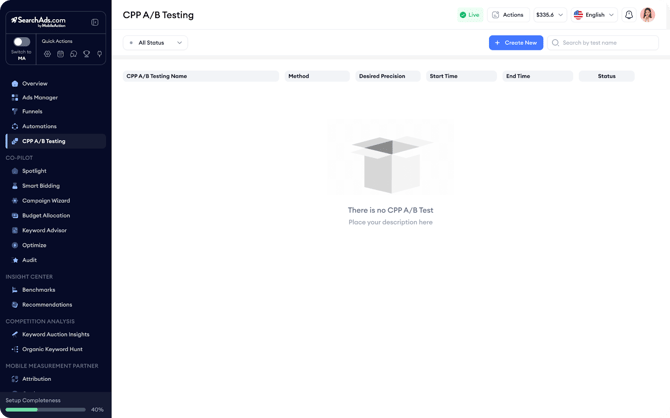
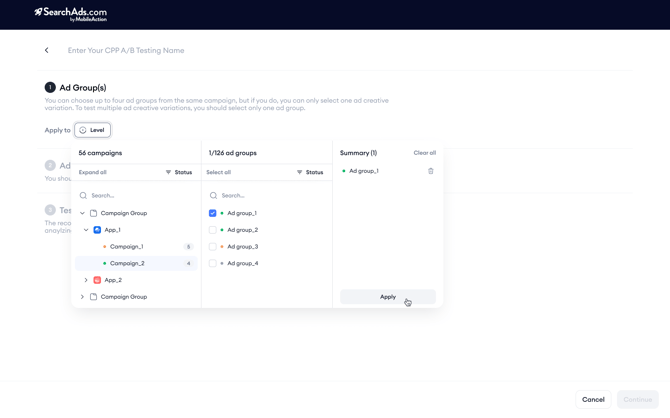
- Choose the ad group that you’d like to use in this test environment, which has traffic in the last 28 days.
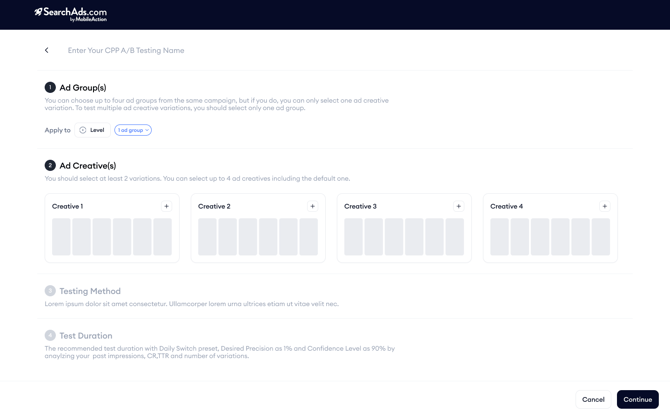
- In the Ad Creatives section, pick two to four custom product pages, including the default product page.
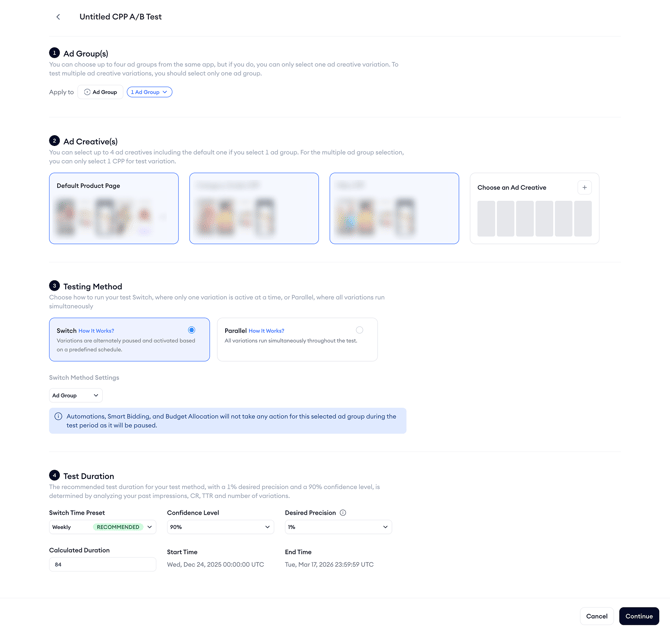
- On the Testing Method screen, select Switch and keep Ad Groups as the switch entity. Then decide on the test duration.
- Switch time → hourly, daily, or weekly (the platform suggests the fastest viable option),
- Desired precision → 1% (default) up to 10%.
- Confidence level → 80 - 99%
As you adjust these settings, the platform displays the calculated start date, end date, and total duration.
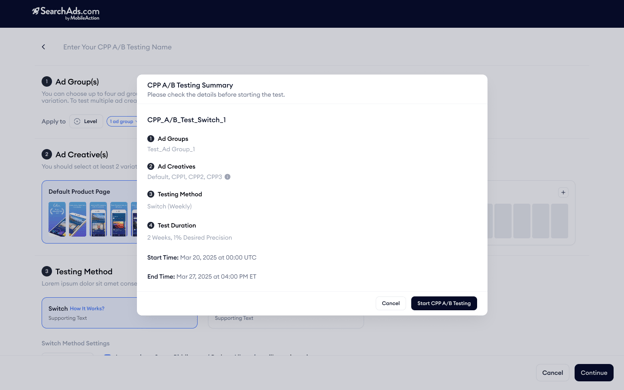
- Review the summary and press Start.
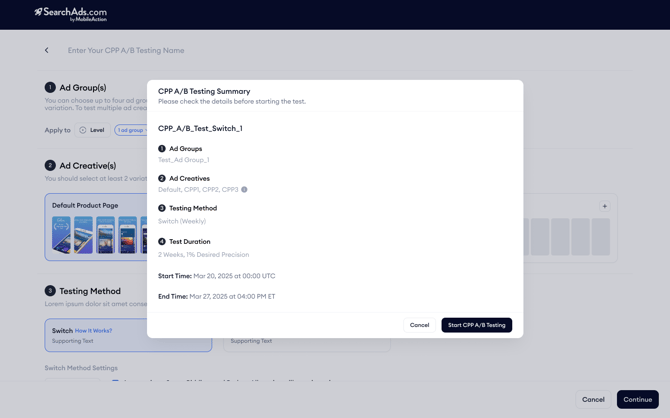
The system duplicates the ad group for every variant, pauses the original, and begins the first active/paused cycle.
Note: Automations will never pause or activate ad groups involved in tests, regardless of user settings, as this would compromise the integrity of the tests. The selected original ad group is paused during the test period. Consequently, Automations, Smart Bidding, and Budget Allocation will not take any actions since these tools do not operate on paused entities.
When the timer ends, the clones are paused, the original ad group resumes, and the table line flips from 'Running' to 'Completed'. If you stop the test before its scheduled end date and time, the system will automatically revert to the original asset, with no manual reactivation required.
Switching ads
In this test type, you keep one ad group and simply add one ad per duplicate custom product page, and if included, a duplicate of the default product page, and the algorithm switches those ads. Only one ad runs at a time, ensuring that each variant receives comparable exposure over equal time periods.
How to set it up
- Start a new test in CPP A/B Testing and enter a name.
- Select the ad group that you’d like to use in this test environment that receives enough traffic.
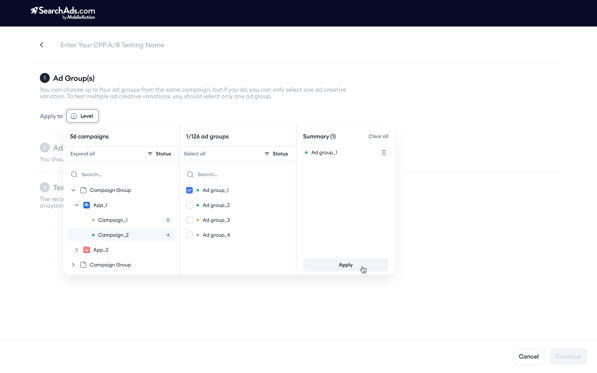
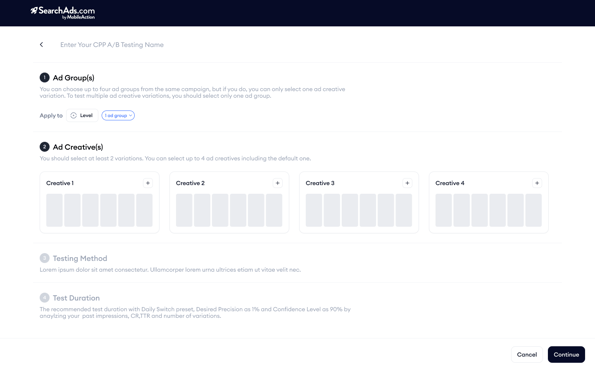
- In Ad Creatives, select two to four custom product pages (including the default page).
After selecting the method, choose the switch time preset and desired precision.
- Switch time → hourly, daily, or weekly (the platform suggests the fastest viable option),
- Desired precision → 1% (default) up to 10%.
- Confidence level → 80 - 99%
As you adjust these settings, the platform displays the calculated start date, end date, and total duration.
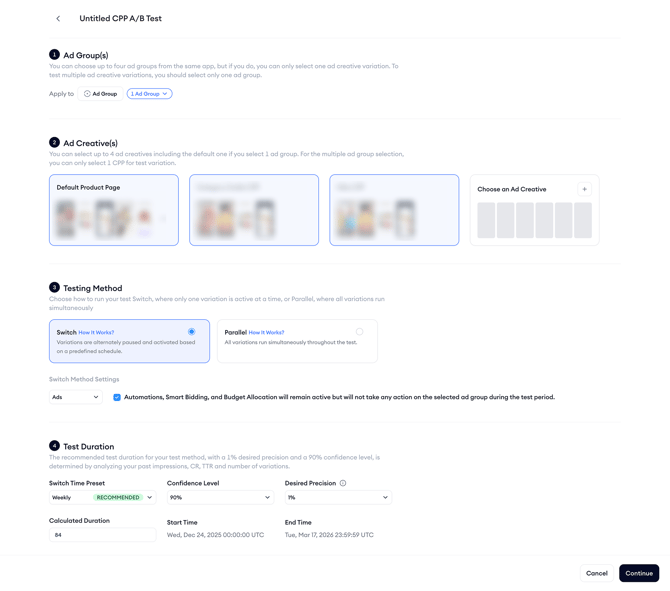 Then, confirm the auto-calculated start and end dates by clicking Continue.
Note: When using this test method, if you uncheck the protection checkbox, Automations, Smart Bidding, and Budget Allocation will continue to take actions on the selected ad group, as this method operates at the ad level without pausing the ad group itself. However, Automations will never pause or activate ad groups involved in tests, regardless of user settings, as this would compromise the integrity of the tests.
When the timer ends, the clones are paused, the original ad group resumes, and the table line flips from 'Running' to 'Completed'. If you stop the test before its scheduled end date and time, the system will automatically revert to the original asset, with no manual reactivation required.
If you have questions along the way, your Customer Success Manager or the live chat team can help you move forward with confidence.