
Co-pilot is the all-in-one hub for managing Apple Ads campaigns. It integrates seven powerful tools that can work in tandem to help you automate, optimize, and enhance your ad campaigns, making sophisticated campaign management accessible and driving user acquisition and app growth.
What is “Co-pilot”?
Co-pilot is designed to serve as an Apple Ads optimization hub, offering smart campaign automation and optimization tools. Its dashboard consolidates the key tools provided by SearchAds.com into a single board, providing actionable insights for immediate campaign improvements.
Co-pilot addresses the complexities of Apple Ads campaigns, such as campaign setup, bid optimization or distributing the budget to the correct campaigns.
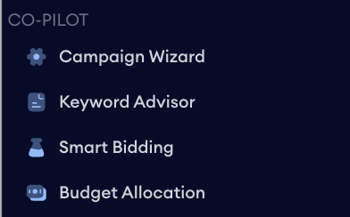
Let’s take a closer look at each of the smart tools and how you can use them for your Apple Ads campaigns.
The 4 smart tools of Co-pilot
Campaign Wizard is the second tool under Co-pilot and it simplifies campaign-building by creating structures validated by experts and recommended by Apple Ads. It reduces manual work in keyword discovery and campaign setup, saving time and effort. Here is how to use and benefit from Campaign Wizard.
Start by providing information about your app; the country you want to advertise in, your daily budget, and your brand keyword.
.png?width=600&height=454&name=image%201790%20(25).png)
.png?width=600&height=449&name=image%201790%20(26).png)
Continue by choosing your competitors. In this step, you’ll have two tabs, one giving suggested competitors and the other giving the exclusive competitors, each has a number right next to it, showing the number of apps under the tab. The selected competitors will be added to the box on the right and will be seen with a tick right next to it on the list. You can remove the competitors by clicking on the X on the upper right-side of the app icons. After selecting the competitors, click Next to move to the next step.
.png?width=600&height=426&name=image%201790%20(27).png)
Campaign Wizard’s algorithms suggest the most pertinent keywords for your campaigns. Select the ones you want to target from the list provided. The selected keywords will have a tick on the left-hand side. You can also search for keywords in the list by typing down in the search bar. If you click on “All Types” you’ll see a dropdown with the campaign types listed, select the campaign type to see the keywords suggested for it.
.png?width=600&height=434&name=image%201790%20(28).png)
Once you’ve chosen your keywords, click next to review the structure and click “Create” to complete the process. After your campaign is created, Campaign Wizard allocates your budget accordingly and assigns Max CPT Bids based on category benchmarks. You can customize these settings to suit your strategy.
.png?width=600&height=483&name=image%201790%20(29).png)
Tailor your target audience by editing the ad group settings and adjusting to your preferences.
Review your campaign inputs on the Overview page before launching your campaigns. Once set, you’ll be directed to Ads Manager, where you can monitor campaign performance.
Keyword Advisor
Keyword Advisor is the second tool under Co-pilot, and it analyzes market landscape and competitor strategies to help discover high-performing keywords. It provides insights into competitor keywords and country performances, enhancing ROAS. Here is how to use and benefit from Keyword Advisor:
Choose the app you want to generate keywords for and start by providing information about your app, the country you want to advertise in, and your brand keyword. Then click “Next” in the upper right corner.
.png?width=600&height=384&name=image%201790%20(30).png)
.png?width=600&height=322&name=image%201790%20(31).png)
On the next page, continue with selecting your competitors, you can search and add competitors by clicking the “+” button. In this step, you’ll have two tabs, one giving suggested competitors and the other giving the exclusive competitors, each has a number right next to it, showing the number of apps under the tab.
The selected competitors will be added to the box on the right and will be seen with a tick right next to it on the list. You can remove the competitors by clicking on the X on the upper right side of the app icons. This step is important as Keyword Advisor uses your competitors to find the most suitable keywords for you. After choosing them, click the “Next” button again.
.png?width=600&height=372&name=image%201790%20(32).png)
In this step, you’ll see the keywords that Keyword Advisor has found for you. Each suggested keyword is accompanied by a "keyword strength" metric, categorized as high, medium, or low. This metric indicates how relevant the keyword is to your app.
Choose the most relevant keywords from the list and add them directly to your campaigns by clicking the “+” button. Keyword Advisor suggests which campaign types (generic, brand, competitor) are suitable for each keyword. Select the ones you want to target from the list provided. The selected keywords will have a tick on the left-hand side. You can also search for keywords in the list by typing down in the search bar. If you click on “All Types” you’ll see a dropdown with the campaign types listed, select the campaign type to see the keywords suggested for it.
.png?width=600&height=430&name=image%201790%20(33).png)
For the last step, you can click “Generate a new keyword list” to create a new list of the keywords you have found, run ads with the keywords you choose, or download the keywords as a CSV file.
.png?width=600&height=542&name=image%201790%20(34).png)
Smart Bidding
Smart Bidding is the next tool under Co-pilot, and using machine learning algorithms, it optimizes bids based on market conditions and KPIs.
Smart Bidding can be applied to either single or multiple campaigns and ad groups, and it supports simultaneous optimization across multiple countries. You can use Smart Bidding to improve your campaign results by automating bid adjustments according to your primary goal. Whether the aim is to decrease acquisition costs, increase visibility, or achieve a high return on ad spend (ROAS), selecting the most relevant optimization mode is crucial.
There are 4 optimization modes to choose from:
-
ROAS optimization
-
Cost per acquisition (CPA)
-
Cost per install (CPI)
-
Cost per goal (CPG)
For CPA, CPI, and CPG modes, you can choose from 2 strategies: scale-up or optimization. For the ROAS mode, the only strategy available is optimization.
The tool is designed to minimize side effects; it ensures that any bid adjustments made are carefully calculated to enhance campaign performance without disrupting overall traffic flow.
.png?width=600&height=460&name=image%201790%20(35).png)
Budget Allocation
Budget Allocation is the sixth tool under Co-pilot, and it automatically manages campaign budgets using a data-driven algorithm. It distributes the budget to the most profitable campaigns, maximizing returns based on performance metrics. Here is how to use and benefit from Budget Allocation:
-
Select any of your campaigns that you want to work on for better optimization and better results
-
Enter your daily budget.
-
Let Budget Allocation distribute your budget according to your metrics to get the best possible outcome.
-
Implement it with a single click, and see the results right away.
.png?width=600&height=565&name=image%201790%20(36).png)
How Co-pilot’s integrated approach helps app marketers
When used together, the 7 smart tools under Co-pilot can help you not only save time on your daily tasks but also enhance your performance. Below are some cases where you can double the benefit you receive from Co-pilot.
-
Using Smart Bidding and Budget Allocation together: This combination ensures real-time adjustments based on performance data, optimizing ad spend and improving campaign alignment.
-
Using impression rate tools in tandem for low TTR issues: By removing underperforming keywords and adding high-performing ones, platform users can significantly enhance campaign performance.
-
Protecting brand integrity: Using a brand protection strategy along with other tools will help secure your brand presence in the market. Using Co-pilot, you can understand insights into bidding strategies for your brand keywords. Although you should bid on your brand keywords, this does not mean overspending. It's important to spend the right amount with the right strategy because bidding on brand keywords is crucial for enhancing Apple Ads performance for several reasons.
-
Comprehensive campaign overhaul: Use Co-pilot to restructure campaigns and automate optimization for better performance, leveraging tools like Campaign Wizard for improved structure and Smart Bidding for campaign optimization. Let Campaign Wizard create the optimal campaign structure for your app campaigns and optimize the process for success on Apple Ads.
Mastering Apple Ads campaign management is challenging, but Co-pilot makes it easier. From planning and research to strategic bidding and budgeting, each tool in the Co-pilot toolkit is designed to enhance your campaign performance. By providing actionable insights, automating routine tasks, and targeting the most logical opportunities.
Still have questions or need assistance? Don’t hesitate to contact your dedicated Customer Success Manager or get in touch with us via live chat!